
Searching for videos from images or clips can be widely used by people connected to the media industry: journalists, vloggers, researchers, podcasters, and filmmakers. It can also be used to monitor the online presence of public or semi-public people (politicians, actors, celebrities, Instagrammers, Tiktokers, etc.) and people who are afraid that the videos of them might have leaked to the Internet. Here’s a brief guide on how to find a video posted on the Internet.
Reverse image search for videos - how does it work?
Reverse image search allows you to perform a query using only an image. Thanks to this you can find a video based exclusively on a screenshot or frame. The mechanism of reverse image search is taught to look for the same or similar content, so there’s a chance that you will find a video which you don’t know the name of having only a part of it.
Currently, finding a video from an image is probably easier than searching for it using reverse video searching (there are platforms that offer these kinds of services). There are a few reasons for this:
- There are more reverse image search engines than reverse video search engines
- The image database is much wider than the video database
- Reverse image search engines are created by well-known brands like Google or Microsoft
- Reverse video search is a quite new technology. By contrast, reverse image search is firmly established.

How to search for videos from images on your desktop browser
Reverse image search is possible to conduct from any desktop browser thanks to Google Images - probably the best-known reverse image search engine. Before you do a search, you have to prepare a screenshot from your video so you can upload it to the site.
When your screenshot is ready, open the Google Images page and click the camera icon. Then choose the “Upload an image” option and browse for the file with your screenshot or drag it into the indicated area. Now you can wait for the results - they are displayed within a few seconds.
The most important part is displayed in the “Pages that include matching images” section. It contains a list of URL addresses on which this image appears. As you can see in the screenshot, Google Images has recognized the movie properly from just one frame!
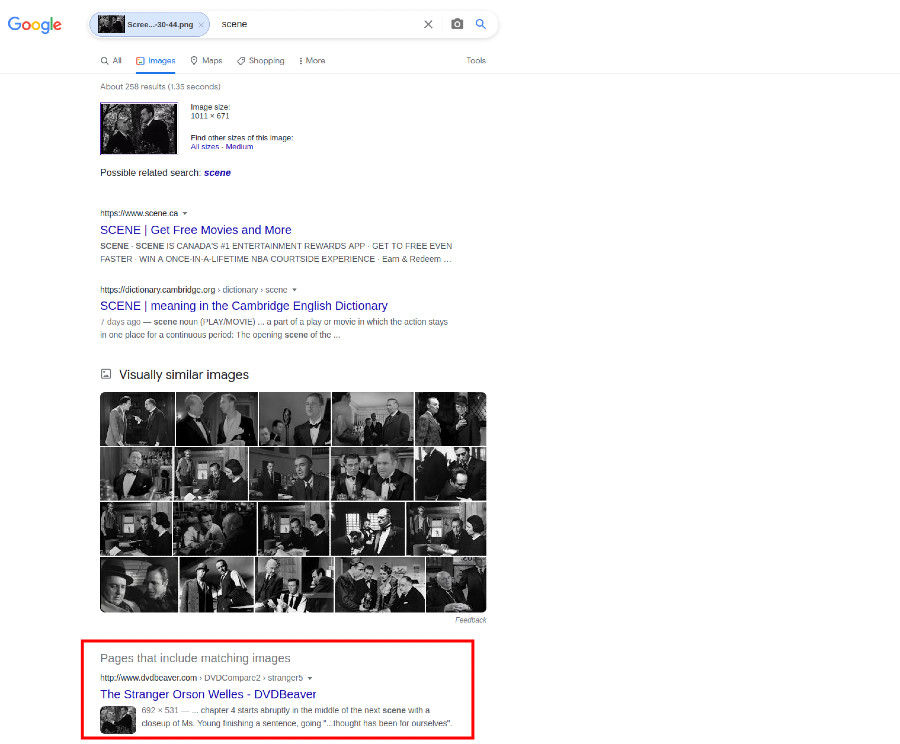
Unfortunately, it is possible that you won’t find the video you’ve been searching for using reverse image search. However, don’t get discouraged: it might provide you with some useful information or hints regarding your video.
How to search for videos from images on your phone
If you want to find video by image using your phone, you can use the afore-mentioned Google Images. We advise you to upload a screenshot from the video though it is also possible to perform the search by taking a photo of the monitor or screen where the video is displayed. However, we don’t recommend this way of getting the image, because a photo taken by your camera will have low quality and the results it returns might be inconclusive.
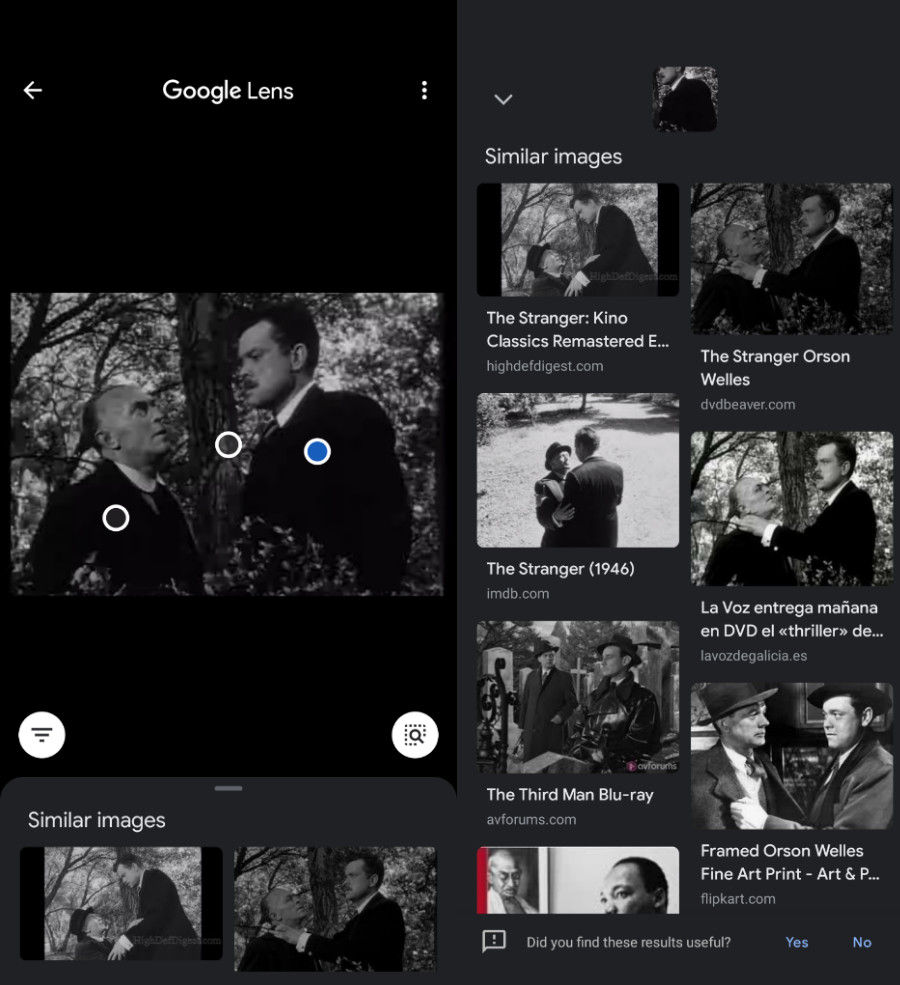
If you use an Android phone, you can also get the name of a video by performing an image search using Google Lens. Find and open this app and then upload a screenshot. The accuracy of the results might surprise you.
How to find yourself in images and videos
You can also use the reverse image search mechanism to find images or movies of yourself. Just upload a photo of yourself to the search bar below and find out where images of you are posted on the open web.
[!!search-bar!!]
PimEyes does not look specifically for videos, however, we are able to find them if they are accompanied by images extracted from that video or other photos of you.
Summary
Reverse image searching is currently the best way to find a video that you don’t know the name of. To perform a reverse image search, first prepare a screenshot. Pick the scene from the video that you think is the most characteristic. Then open Google Images and upload a screenshot to the search bar. The name of that video should appear in the “Pages that include matching images” section.
If you are looking for images or videos containing you, use PimEyes’ facial recognition search engine. Upload a photo of yourself to find out where your face appears on the open web.
[!!search-bar!!]